Features
Everything you need for professional inspections
From the move-in condition report to the move-out report: Kamerinspectie records everything that belongs to the handover of a rental property. Room by room, with photos, signed by both parties and always easy to find. No more separate Word or Excel files.
Better than a Word or Excel file
Many landlords still work with a Word or Excel template. It sounds familiar, but has major drawbacks: photos are added as loose attachments, signatures are pasted in or hand-drawn, and reports get lost on your computer. Kamerinspectie is the structured alternative: digital, complete and always retrievable.
- Photos are embedded in the report, not added as loose attachments
- Signatures from both parties are included in the report and the PDF
- All reports are stored securely in your account
- Professional PDF export in Dutch and English
- No hassle with versions, storage locations or email attachments
- Structured input — no blank fields or incorrect formatting
Word / Excel
- Photos as loose attachments
- Signature pasted in or hand-drawn
- No structure, style varies per report
- Reports lost on hard drive or email
- Difficult to search and archive
Kamerinspectie
- Photos embedded in the report and PDF
- Signatures from both parties in the PDF
- Structured input, professional layout
- Always accessible online in your archive
- Quickly search by property, tenant or date
01
Property management
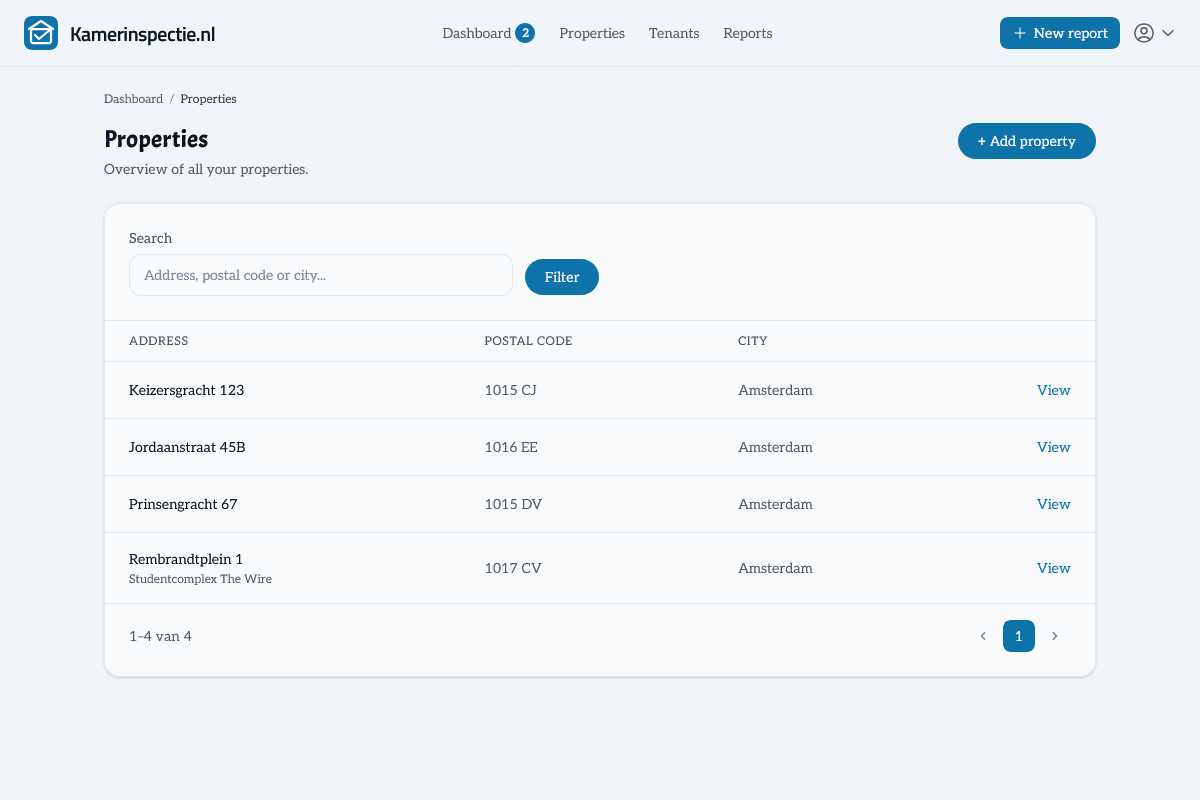
Add all your properties and manage them in one central place. Each property has its own address, notes and room layout. You can add unlimited properties.
- Add unlimited properties and apartments
- Addresses with street, house number, postcode and city
- Notes per property
- Overview of all reports per property
02
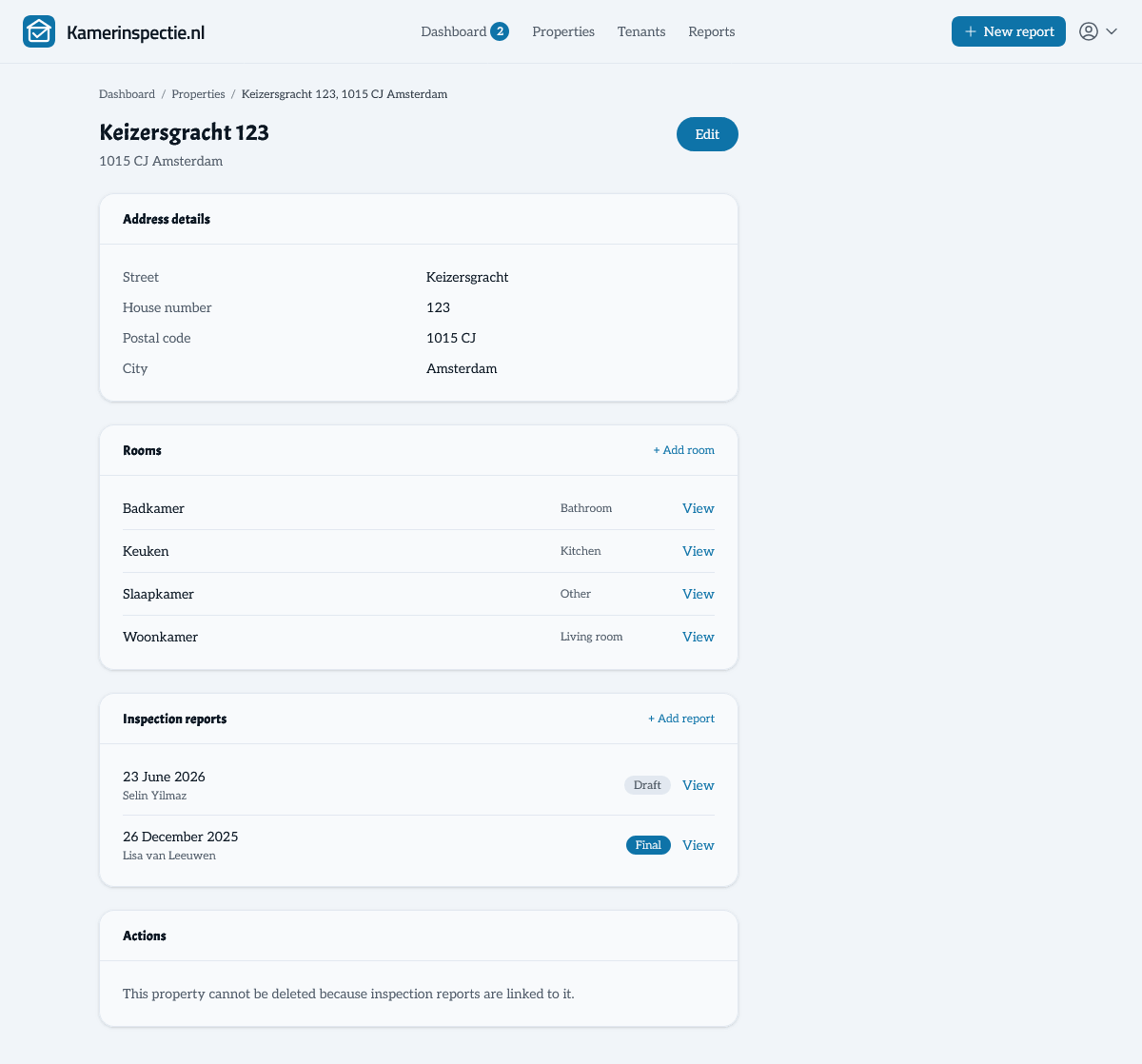
Customisable room layout per property
Every property is different. Set up the room layout that suits your situation: living room, bedrooms, bathroom, kitchen, storage, attic — you decide. The layout is automatically applied to new inspections.
- Add rooms per property (living room, bedroom, kitchen, etc.)
- Choose the room type or give it a custom name
- Room layout automatically applied to new inspections
- Record condition and cleanliness per room in the report
03
Tenant management
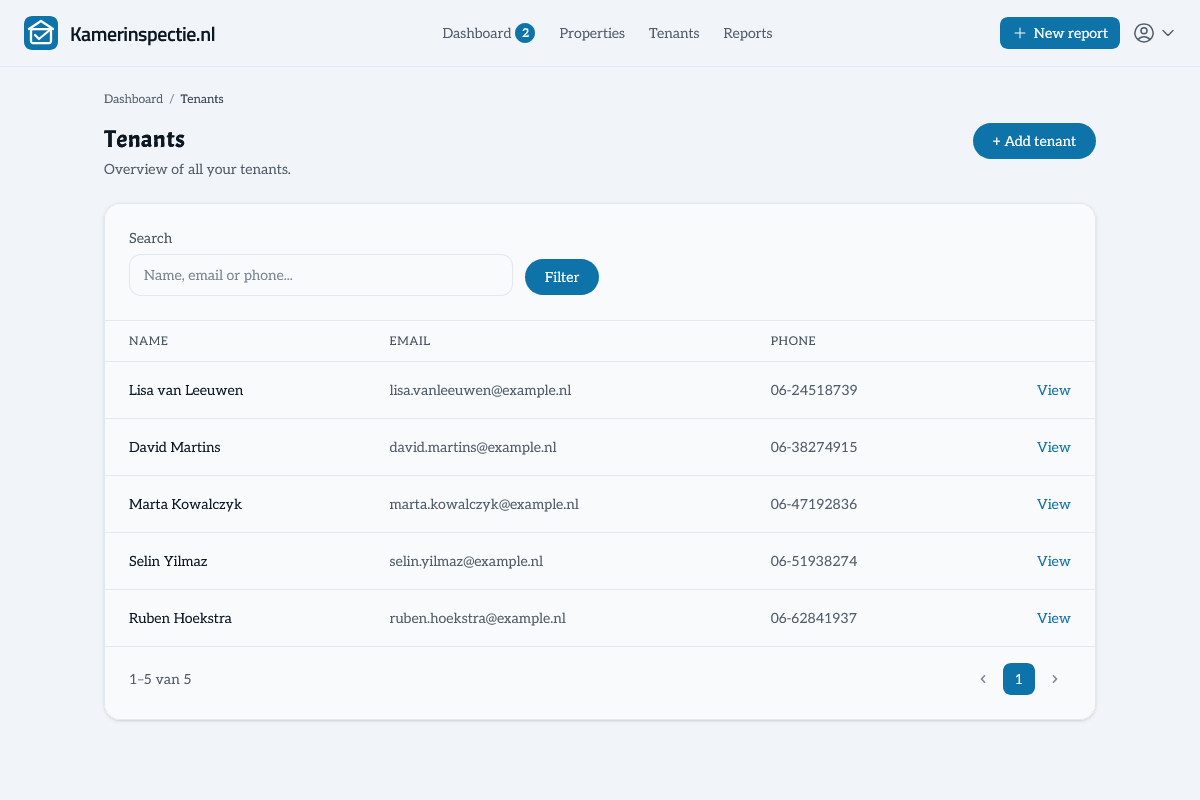
Keep track of your tenants in a central overview. Add contact details and notes, and see at a glance which inspections have been carried out for each tenant.
- Record name, email address and phone number
- Notes per tenant
- Overview of all inspections per tenant
- Support for two tenants per report (e.g. for shared housing)
04
Inspection report overview
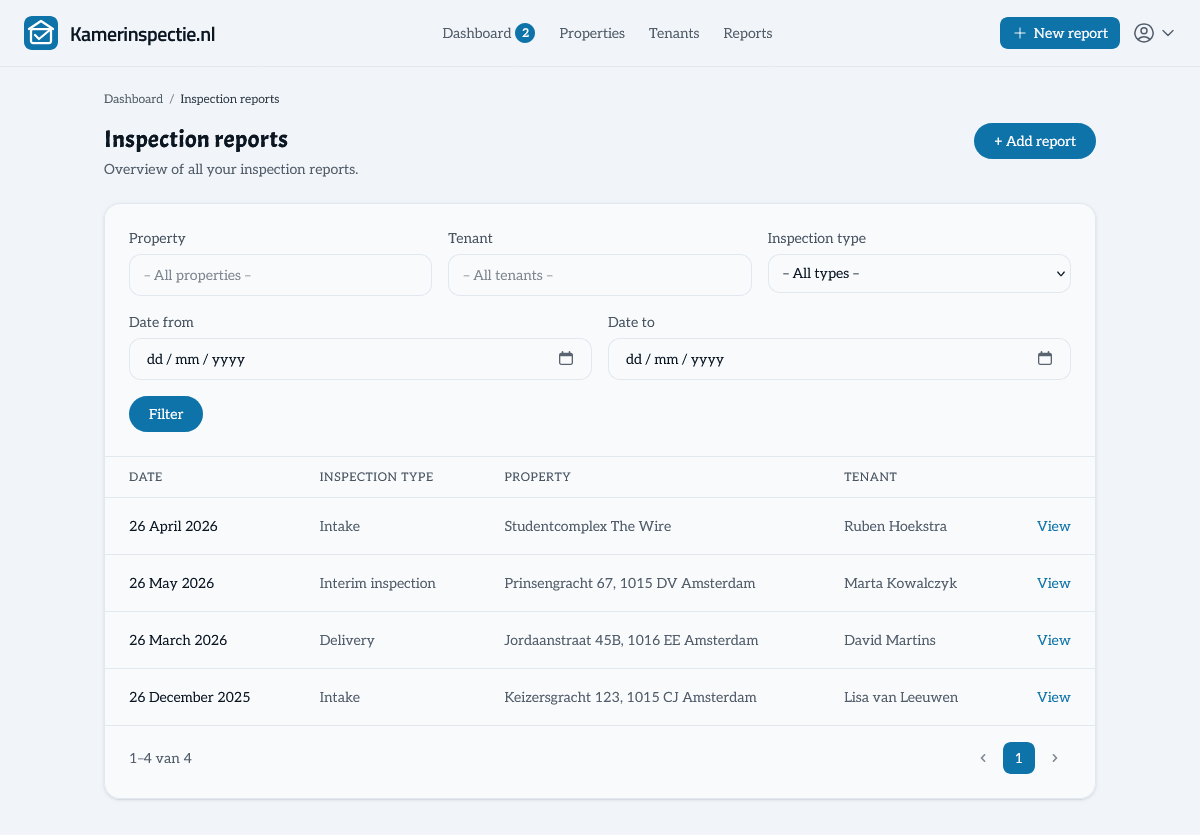
All your inspection reports in one central overview. See at a glance which reports are open or finalised, filter by property or tenant, and download any report as PDF at any time.
- Overview of all inspection reports — open and finalised
- Filter by property or tenant
- Quickly see the date, type and status of each report
- Download the PDF directly from the overview
05
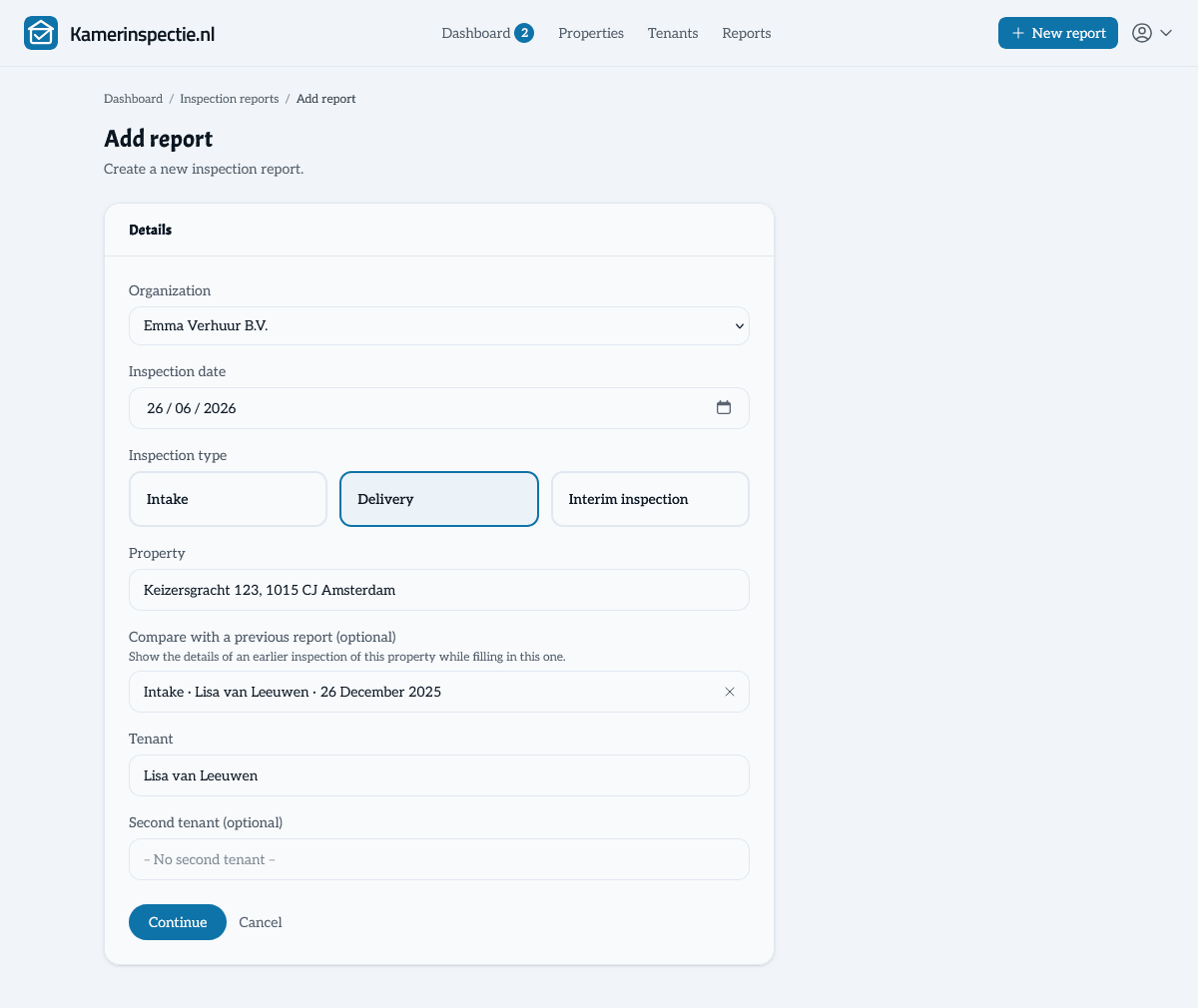
Compare two inspections side by side
A move-out report only gains meaning when you set it against the condition at move-in. Link an earlier inspection of the same property when you create a new report. While you fill it in, every tab — general details, rooms, meter readings, keys, damage and agreements — shows that earlier inspection's data in a collapsible panel. You instantly see what has changed, without laying two documents side by side.
- Choose an earlier report of the same property to compare against when creating the report
- The previous inspection appears per tab in a collapsible comparison panel
- Compare condition per room, meter readings, keys, damage and agreements
- Ideal for the move-out report: objectively establish which damage is new
- Adjust the link at any time while the report is still a draft
06
Meter readings
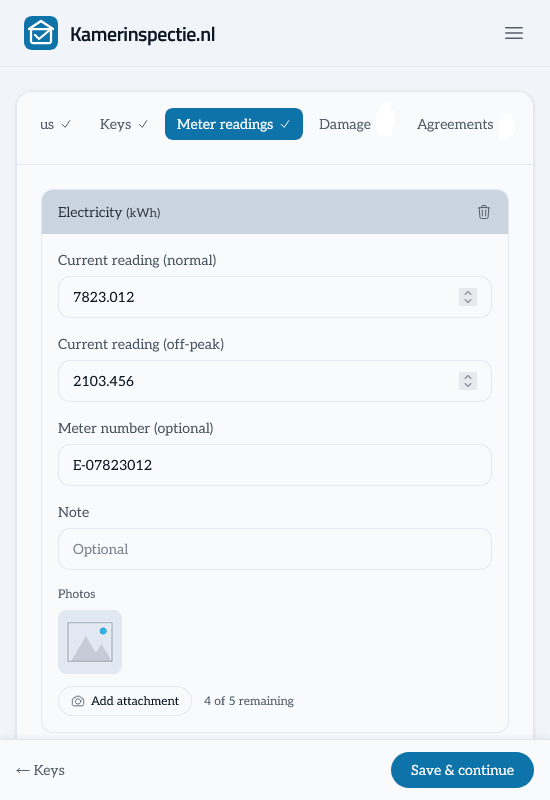
Record all meter readings at the time of handover. Gas, water, electricity and heat — including meter number, location, factor and a photo of the meter. This eliminates any disputes over utility billing.
- Gas, water, electricity and heat
- Record meter number, location and factor
- Tariff-2 reading for dual-rate electricity
- Add a photo of the meter as evidence
What is in a report?
A complete inspection report covers all relevant aspects of the property handover. Fill in what applies and skip the rest.
Keys & access
Record exactly which keys, passes and codes have been transferred. Add a photo and note any specifics per key. Everything is included in the report and PDF.
- Record key types (front door, letterbox, parking, etc.)
- Register quantity and key number
- Notes per key
- Add a photo of the key as evidence
Damage & defects
Document damage per room with a description and photos. Record who is responsible for repairs and who bears the cost — including a cost estimate. This is the basis for a fair final settlement.
- Record damage per room
- Description and multiple photos per damage item
- Who takes action: tenant or landlord?
- Who bears the cost: tenant or landlord?
- Add a cost estimate
Special agreements
Record additional agreements not in the lease but made between the parties. Add a photo for documentation. This prevents any confusion about what was agreed.
- Free text for special agreements
- Record responsibility per agreement
- Add a photo as evidence or clarification
Photos for everything
Upload photos directly to every room, meter, key, damage item and agreement. Everything is embedded in the report and automatically included in the PDF export. No more loose attachments.
- Photos per room, meter, key, damage item and agreement
- Multiple photos per item
- Photos embedded in the PDF — not as a loose attachment
- Stored securely in your account
Remarks & custom fields
Free-text remarks, notes and your own questions — general or per room type.
07
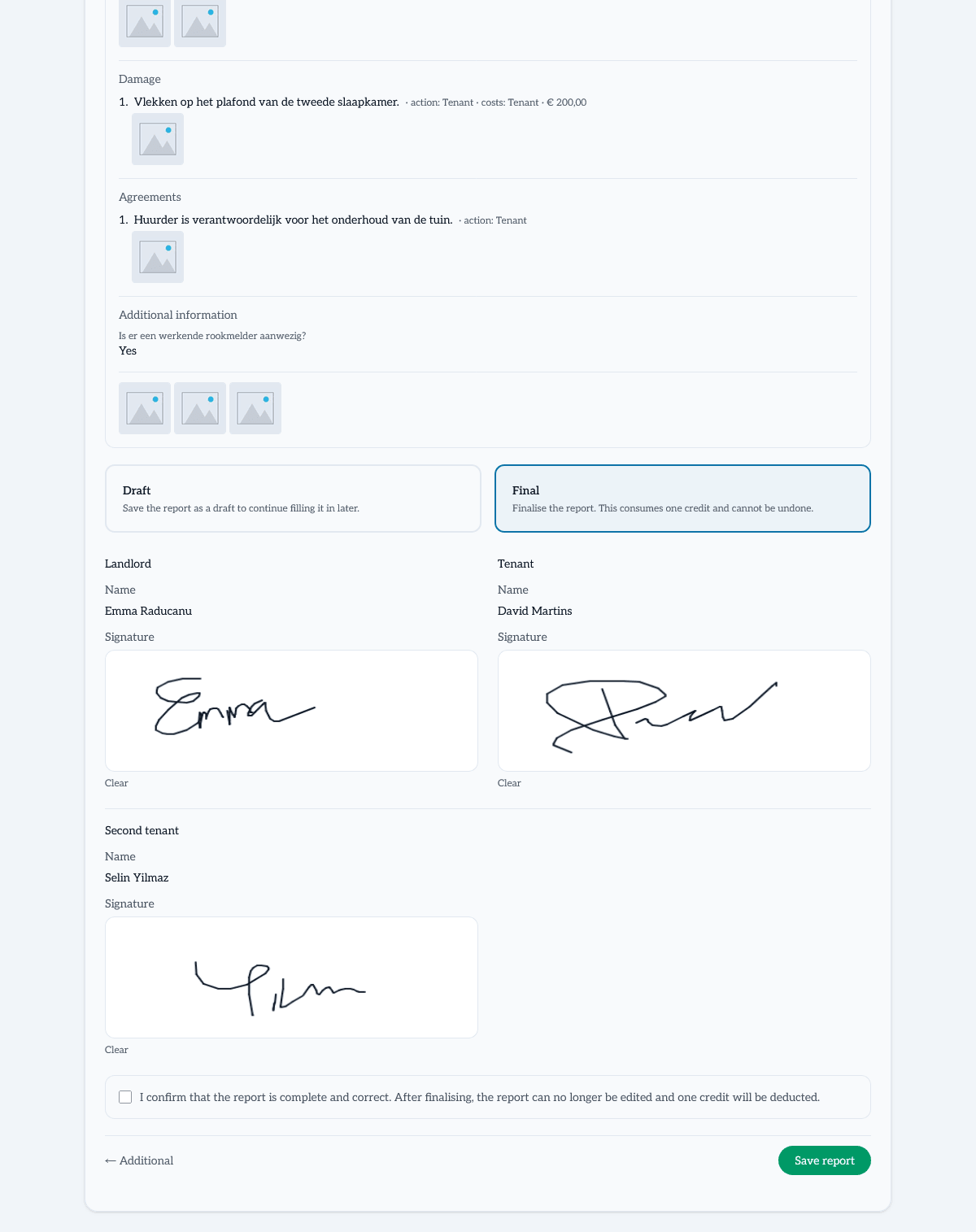
Custom fields — your report, your checklist
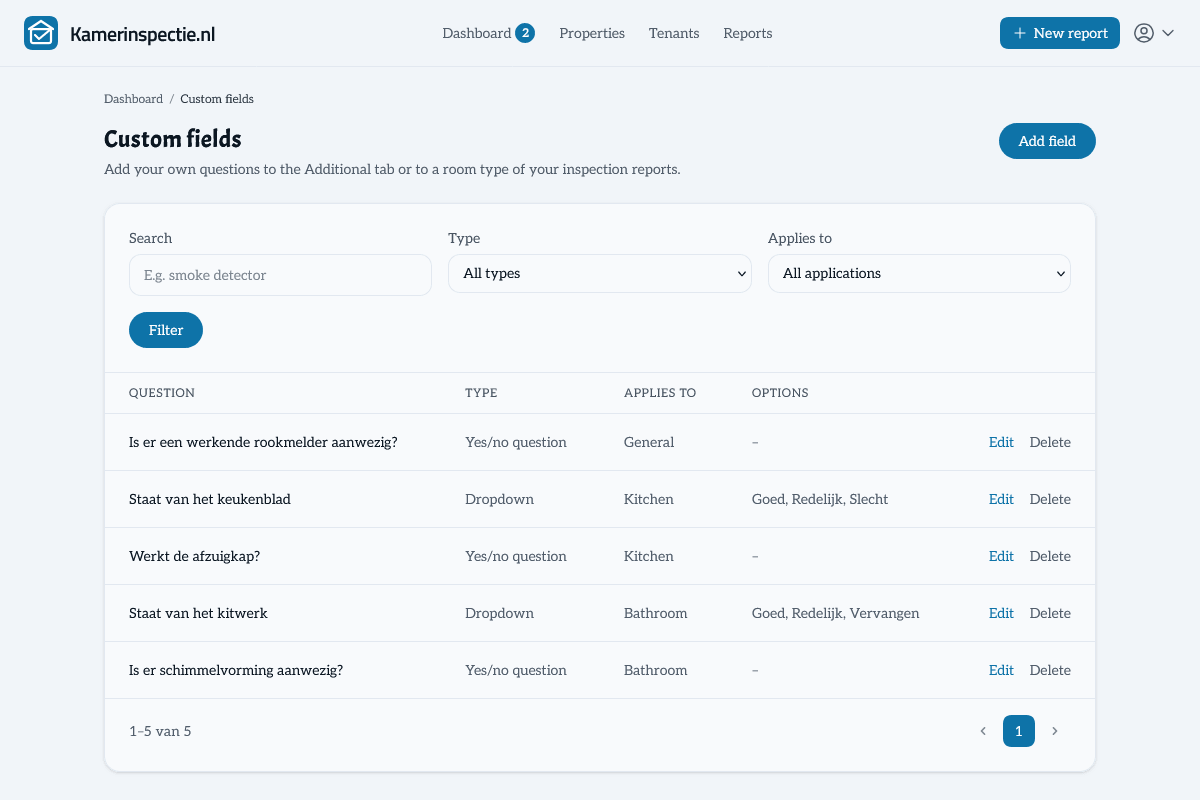
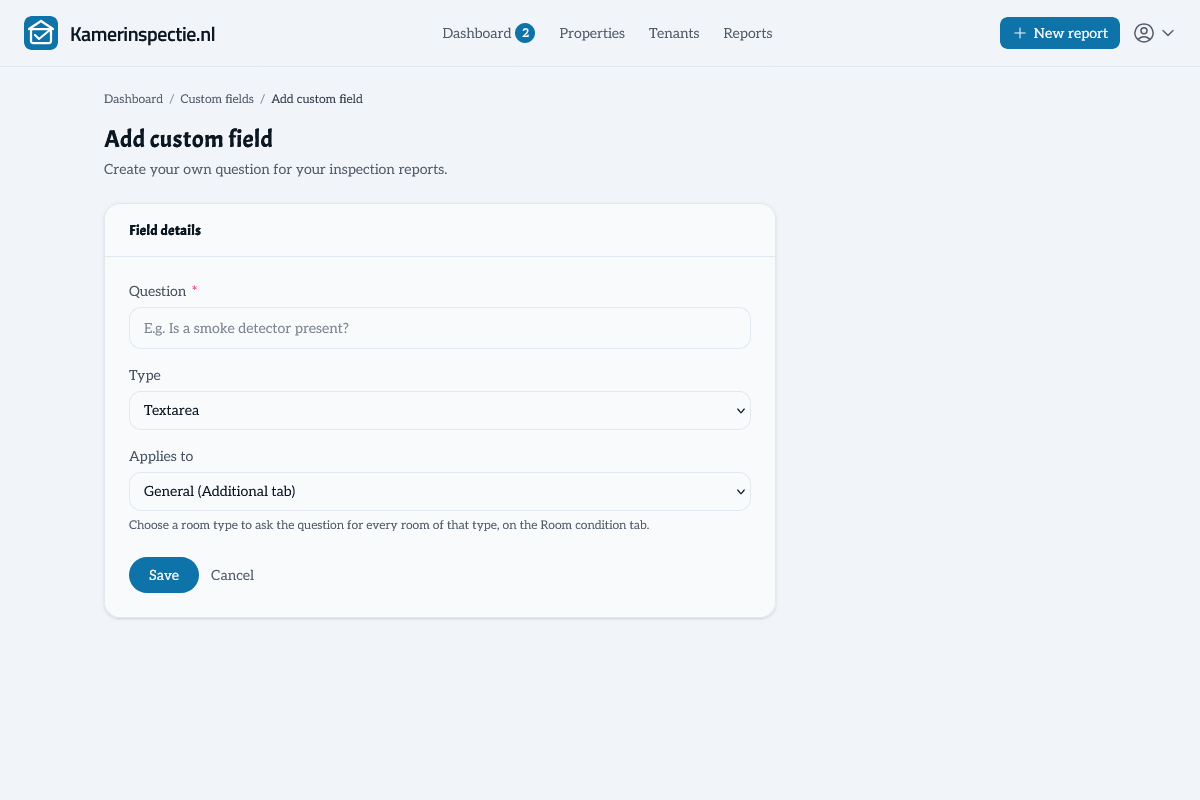
Every property and every landlord is different. Where other inspection apps force you into a fixed checklist, Kamerinspectie lets you add your own questions to the report: open text fields, yes/no questions or dropdowns with your own options. General questions go on the Additional tab, or link a question to a room type such as the kitchen or garden. Set up once, automatically included in every report.
- Three field types: open answer, yes/no question and dropdown with your own options
- Ask questions per room type — for example "Condition of the countertop" for every kitchen or "Condition of the planting" for the garden
- Missing a question or option during an inspection? Add it on the spot and continue where you were
- Answers automatically appear in the PDF and on the signing page
- Finalised reports always stay intact — even if you change or delete fields later
08
Digital signatures
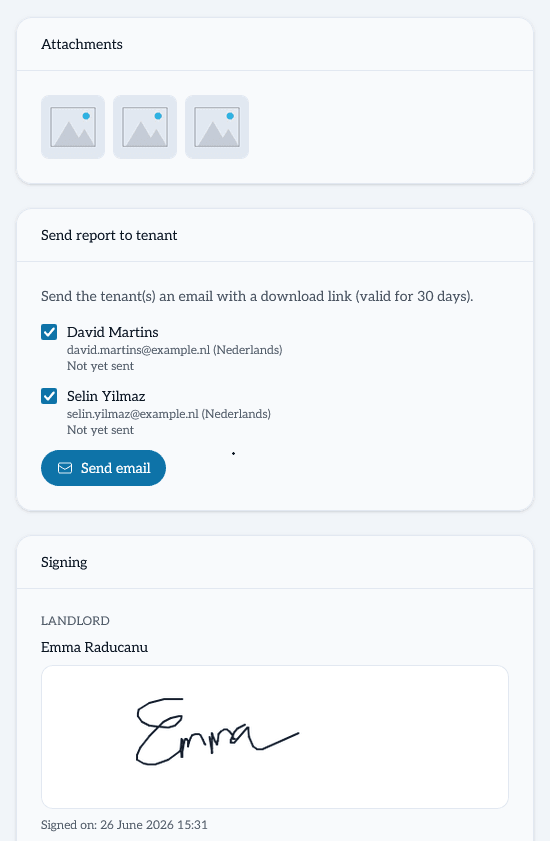
Landlord and tenant(s) sign digitally in the report. The signatures are automatically included in the PDF, recording that both parties agree with the described condition.
- Digital signature from the landlord
- Digital signature from the tenant
- Support for a second tenant
- Signatures recorded in the PDF report
09
PDF download in two languages
Once a report is finalised, download it immediately as a professional PDF. Choose the Dutch or English version. Ideal for international tenants or expats.
- Professional PDF layout with your organisation details
- Available in Dutch and English
- Always downloadable from your archive
- Suitable for emailing or printing
10
Organisations & custom terms
Add your company details as an organisation. Include your own terms and conditions — in Dutch and English — which are automatically included in every report you create.
- Company name, Chamber of Commerce number and VAT number
- Contact details and website
- Custom terms and conditions in Dutch
- Custom terms and conditions in English
- Organisation details appear in the PDF report
11
Digital archive
All finalised reports are permanently stored in your account. You always have access to your archive — even if your report balance is empty. No more searching through folders of Word files.
- All finalised reports permanently stored
- Always accessible, even without a balance
- Quickly search and filter by property or tenant
- Always re-downloadable as a PDF
Ready to get started?
Create a free account and start your first inspection report right away. Your first report is free — no credit card, no subscription.