Inspection app for landlords and property managers
Move-in and move-out reports for your rental property
Kamerinspectie is an online app for recording the condition of a room, apartment or house yourself. Walk through the property with your phone, record photos, damage and meter readings per room, have the tenant sign on screen and download a professional PDF right away.
Your first report is free. No credit card, no subscription.
How an inspection works
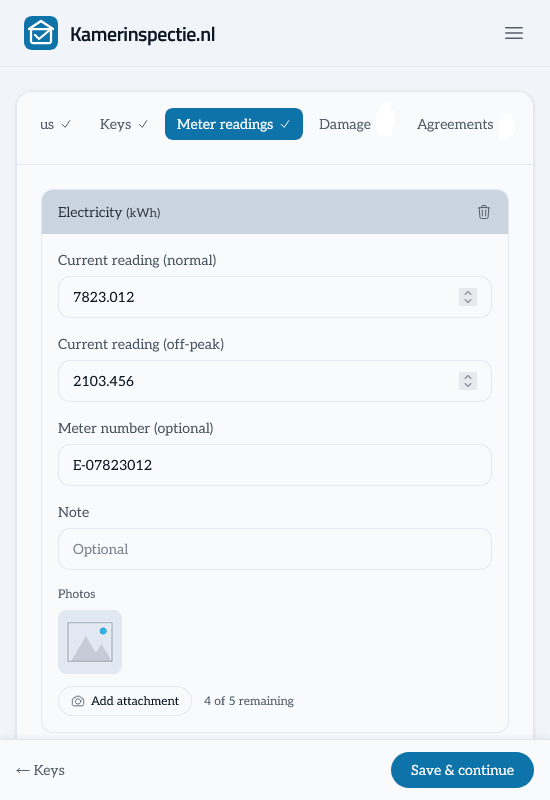
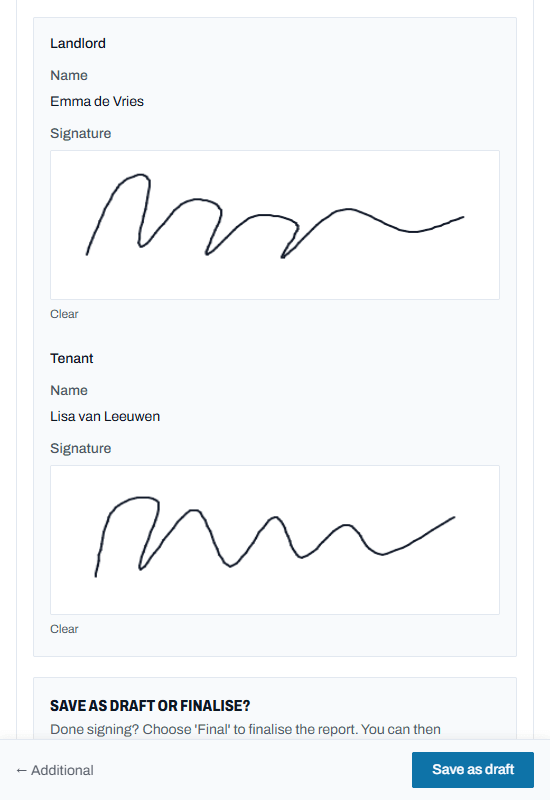
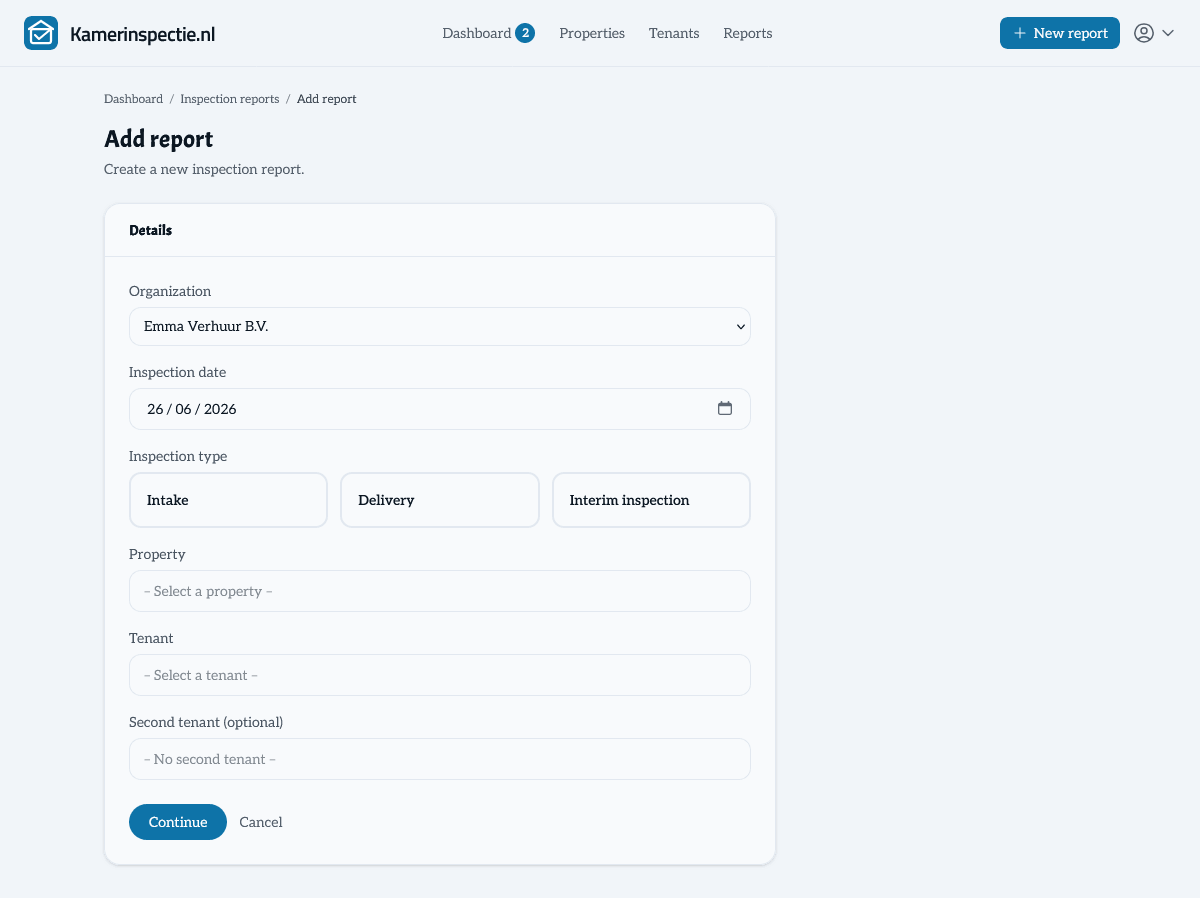
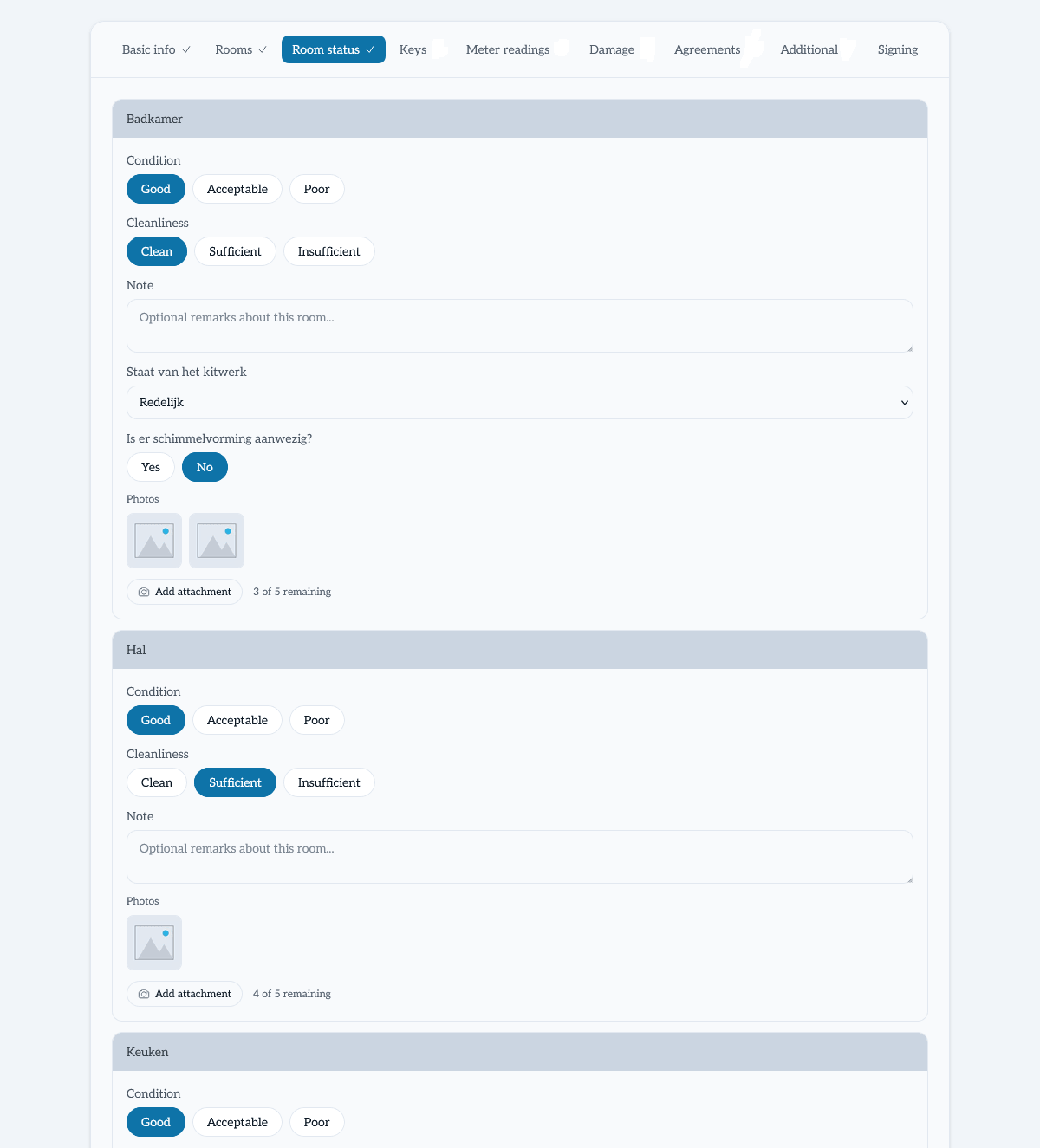
01 / 05 — Choose rooms 02 / 05 — Condition per room 03 / 05 — Meter readings 04 / 05 — Sign 05 / 05 — Share and PDF
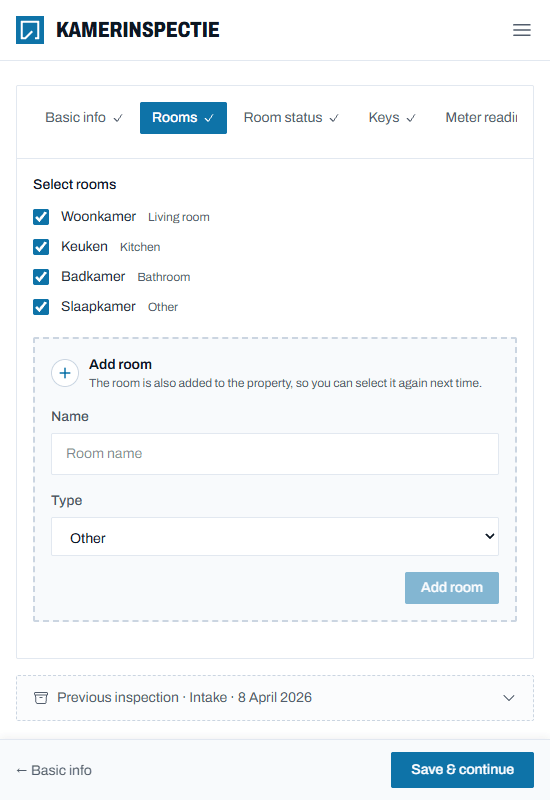
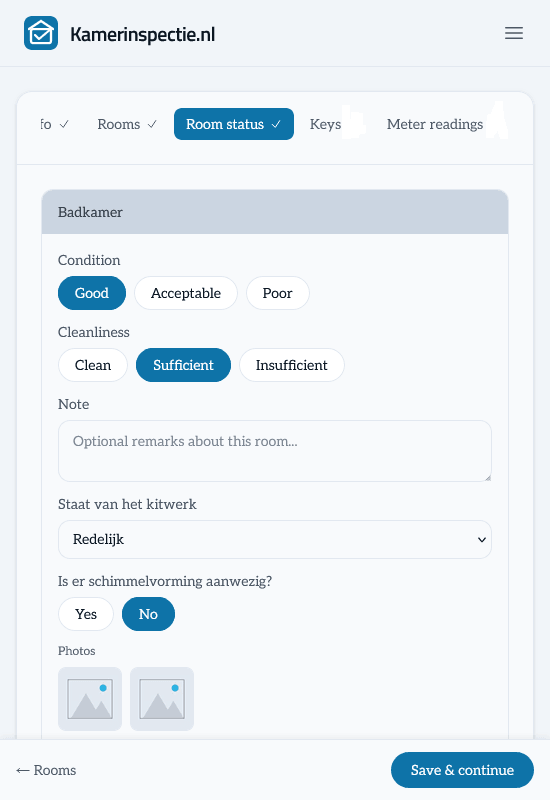
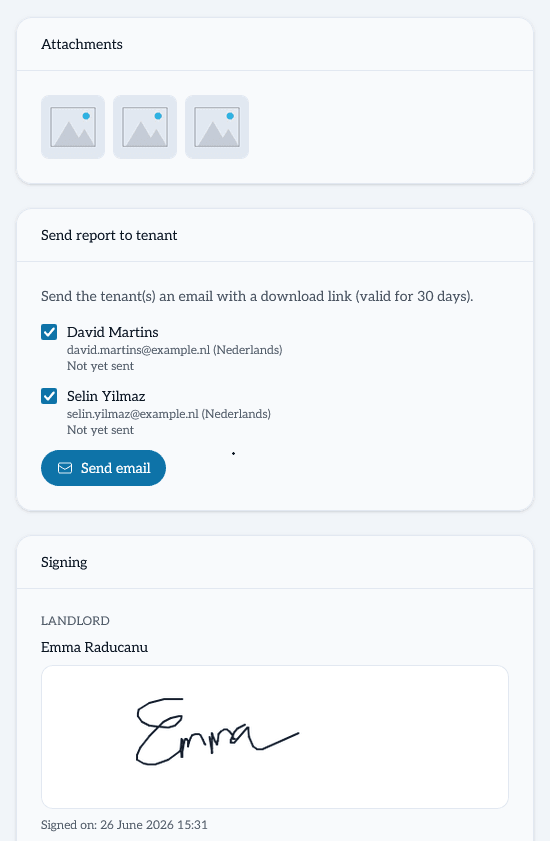
- Photos per room
- Damage & meter readings
- Sign digitally
- PDF in Dutch & English
01 — Get started
What do you want to record?
Choose what you are working on and start right away. Everything ends up in the same clear report.
Condition report at move-in
Record how the tenant receives the property: condition per room, meter readings and keys.
Create a free condition report → BMove-out report
Record the final condition and compare each room with the condition report.
Create a free move-out report → CDamage or interim check
Record new damage or a pre-move-out inspection, with photos and agreements.
Record damage →02 — Evidence
How do you prove what the property looked like?
Almost every dispute between tenant and landlord is about the same thing: what was the property like when the tenant moved in, and what changed when they left? Without a proper record it is one word against another. With Kamerinspectie you record it in minutes, with evidence signed by both parties.
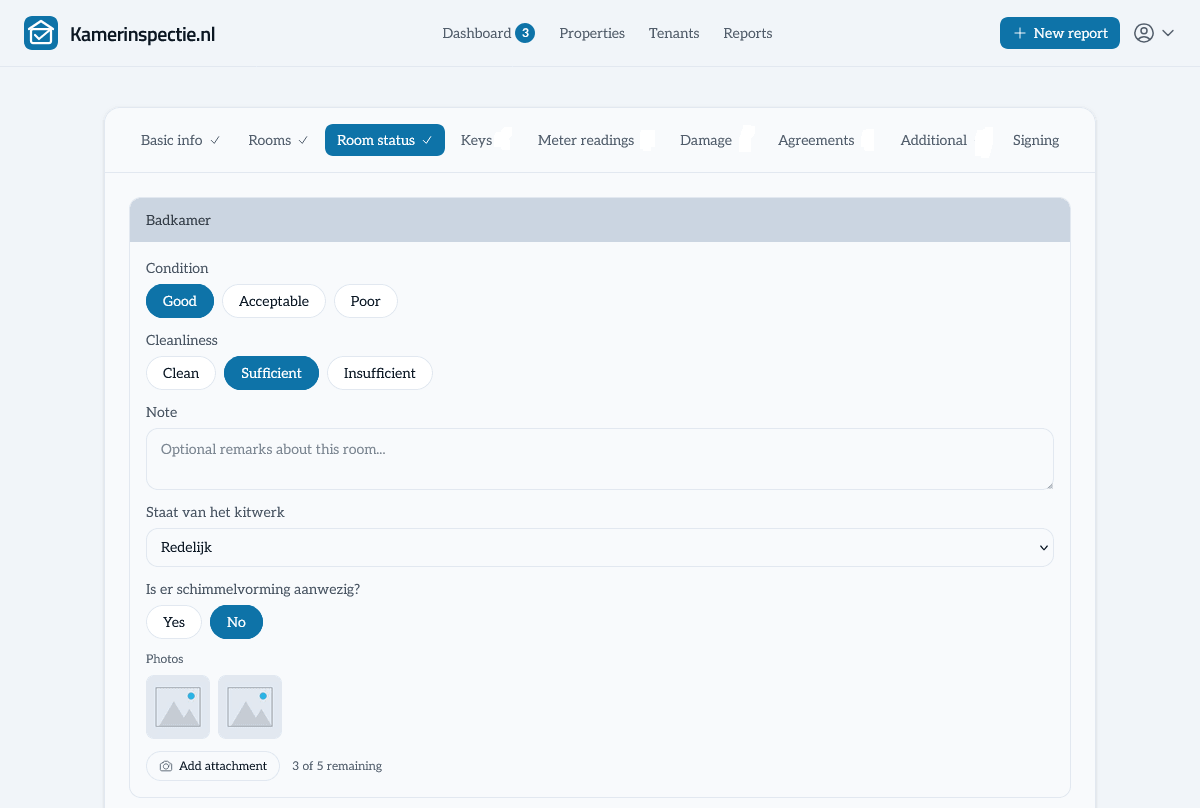
- Condition and cleanliness per room, with photos
- Existing and new damage, with costs and responsibility
- Meter readings, keys and agreements in writing
- Signed by landlord and tenant(s)
03 — How it works
How it works
From the first walkthrough to the comparison at move-out
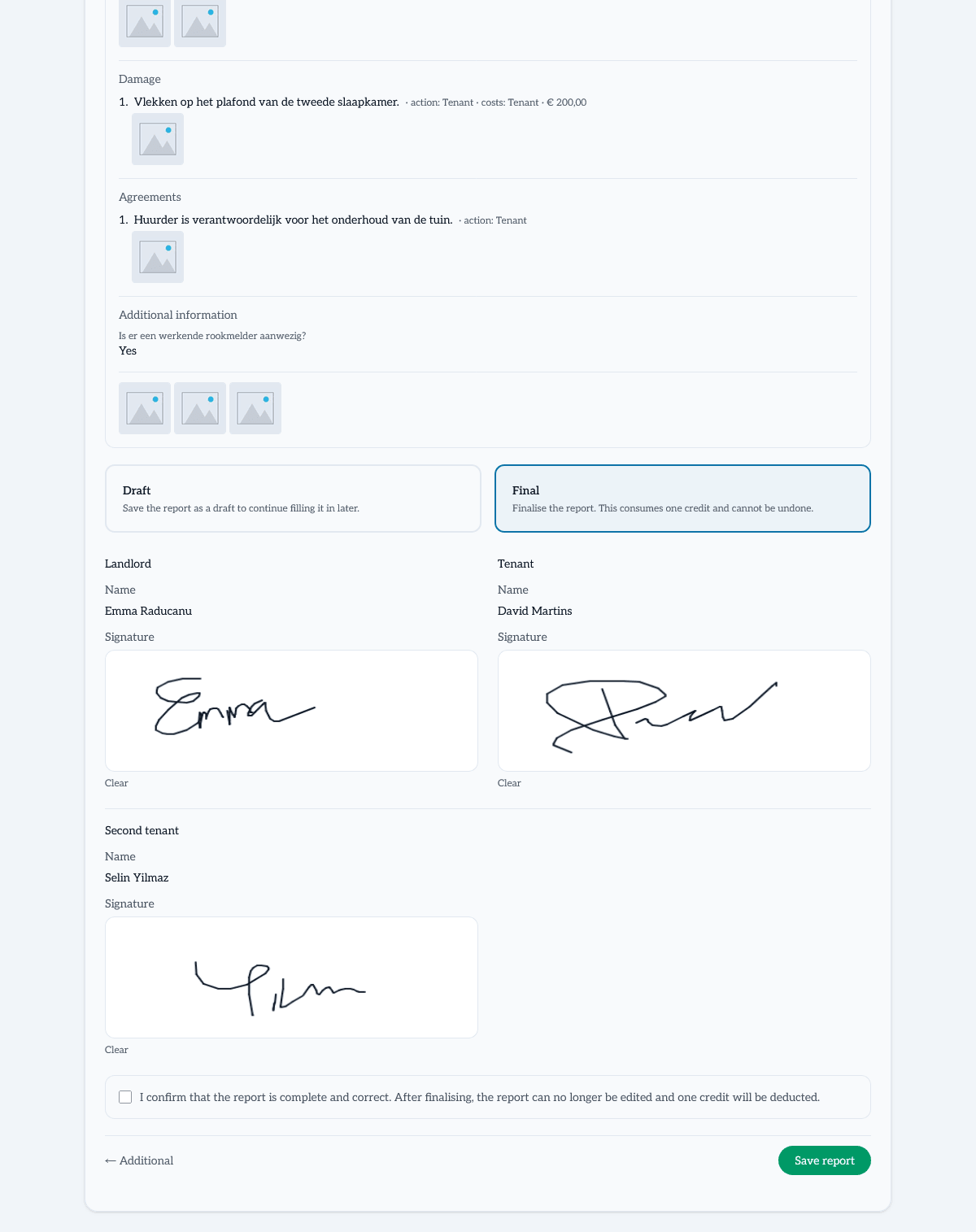
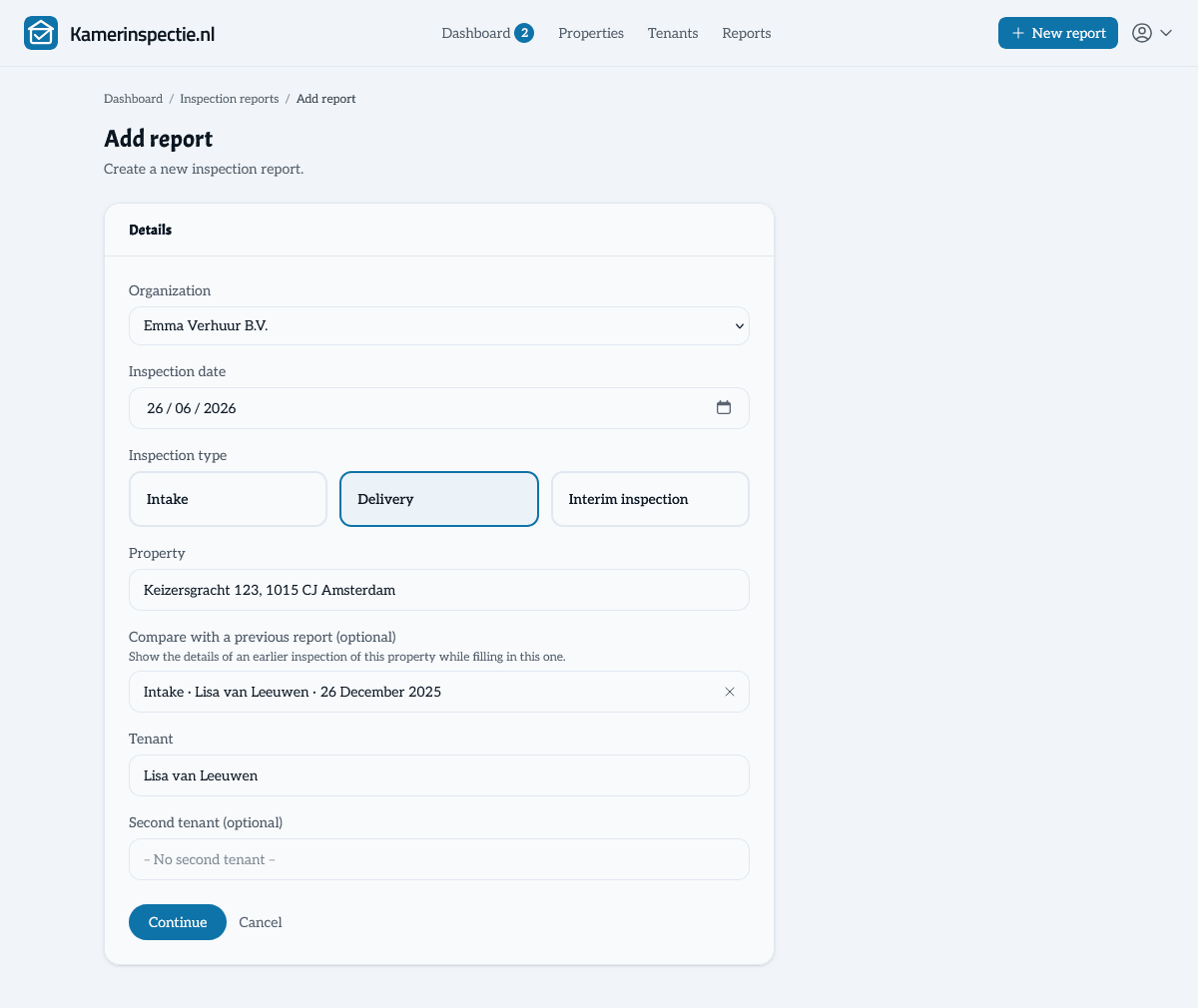
04 — Compare
Record the property at move-in. Compare at move-out.
At move-out, link the move-out report to the condition report of the same property. While filling it in you see how every room, meter, key and damage item was at the start — so you immediately see what changed and objectively establish which damage is new.
- Choose the condition report of the same property when creating the report
- See the starting condition next to your new record for each section
- Back up the deposit settlement with photos from move-in and move-out
05 — Who it is for
For one property or a hundred
Kamerinspectie works for the private landlord and for professional property managers — without getting complicated.
Private landlord
You let one or a few properties and create a report every now and then.
- First report free
- Then pay per report
- No subscription needed
Property manager or agent
You inspect many properties and want one consistent way of working across your portfolio.
- Discounted bundles for large volumes
- Unlimited properties, tenants and custom fields
- API access and custom branding on request
06 — Contents
What is in a report?
A complete inspection report covers all relevant aspects of the property handover. Fill in what applies and skip the rest.
General information
Property, one or two tenants, date, inspection type and signatures from both landlord and tenant(s).
Meter readings
Gas, water, electricity and heat — including meter numbers and a photo of each meter.
Keys & access
Number and type of keys, access passes or codes being transferred.
Damage & defects
Record damage with photos, description, who is responsible for repair and who bears the cost — including a cost estimate.
Remarks & custom fields
Free-text remarks, notes and your own questions — general or per room type.
Special agreements
Additional agreements not in the lease but made between the parties.
Photos as evidence
Upload photos directly to the report as visual proof of the property's condition.
Digital signatures
Landlord and tenant(s) sign directly in the report. Signatures are included in the PDF.
Archive & download
All reports are stored in your digital archive. Always retrievable and downloadable in Dutch or English.
Curious what a report looks like?
View the example report and see exactly what to expect.
07 — Solutions
For every moment of the tenancy
From the condition report to the deposit settlement — and for every type of rental.
Move-in inspection report
Record the condition of the property at the start of the tenancy, with photos, meter readings and signatures.
View →Property condition report
The document that records the condition in which the tenant receives the property. With photos and signatures.
View →Pre-move-out inspection
Walk through the property a few weeks before move-out and record what the tenant still needs to fix.
View →Move-out inspection report
Record the condition of the property at move-out and compare with the condition report from the start.
View →Record rental property damage
New damage during the tenancy? Record the description, photos, responsibility and costs right away.
View →Deposit & damage protection
Record the condition with photos and signatures, so you can properly substantiate a deposit deduction.
View →Example inspection report
Download an example report as a PDF and see exactly what a condition or move-out report looks like.
View →Room inspection report
For room rentals and student housing: a complete report per room at every tenant change.
View →Apartment inspection report
From storage room and balcony to fobs and heat meter: everything that belongs to an apartment, in one report.
View →Inspection reports for landlords
For private landlords with one or a few properties. No subscription, pay per report.
View →Property management software
Digital inspections for property managers and agents. Work uniformly across all your properties and tenants.
View →Expat rental inspection
Letting to international tenants? Deliver reports in Dutch and English from one system.
View →08 — Reviews
What landlords say
“After years of working with paper forms, Kamerinspectie is a breath of fresh air. The first inspection was done in five minutes and everything is now documented digitally.”
“We manage 40+ student rooms and use Kamerinspectie for every tenant change. It's incredibly useful to have photos, notes, meter readings, and signatures all stored in a single report. We now have a complete record for every room, making inspections much easier to manage.”
“Finally a tool that does exactly what I need. No subscription, transparent pricing and the reports look very professional.”
09 — Why
A Word template works. This is easier.
Many landlords work with a Word or Excel template. That can work, but photos become loose attachments, signatures get traced and reports get lost. Kamerinspectie keeps photos, inspections, signatures and comparisons together.
- Photos for every room, meter, key and damage item
- Signatures directly on screen
- Condition report and move-out report linked
- Add your own questions, also per room type
- Professional PDF in Dutch and English
- All reports safely in one archive
Word / Excel
- Photos as loose attachments
- Signature pasted in or hand-drawn
- No structure, style varies per report
- Reports lost on hard drive or email
- Difficult to search and archive
Kamerinspectie
- Photos embedded in the report and PDF
- Signatures from both parties in the PDF
- Structured input, professional layout
- Always accessible online in your archive
- Quickly search by property, tenant or date
10 — Pricing
Start free, pay per report
Your first report is free. After that you buy a single report when you need it, or a discounted bundle if you let more often. No subscription.
Free
€0
Your first report
- Complete inspection report
- Photos, damage and meter readings
- Digital signatures
- PDF download in Dutch & English
- No credit card needed
Per report
€4,95
For the landlord who creates a report now and then
- Buy exactly what you need
- Buy right when you finalise
- No subscription
- Balance valid for 2 years
Business
Tailored
For property managers and agents with many inspections
- Discounted bundles, also for large volumes
- Unlimited properties and tenants
- API access on request
- PDF in your own house style on request
Discounted bundles
Letting more often? The more reports you buy, the lower the price per report.
5 inspection reports
€22,25
€4,45 per report
10% cheaper per report
10 inspection reports
€39,50
€3,95 per report
20% cheaper per report
25 inspection reports
€86,25
€3,45 per report
30% cheaper per report
50 inspection reports
€147,50
€2,95 per report
40% cheaper per report
No subscription, no automatic billing — you only pay for reports you finalise.
Record your rental property today
Create a free account and start your first inspection report right away. Your first report is free — no credit card, no subscription.
11 — Questions