Everything you need for
professional inspections
From property management to digital signatures and PDF export — Kamerinspectie covers the complete rental process. No more separate Word or Excel files.
Better than a Word or Excel file
Many landlords still work with a Word or Excel template. It sounds familiar, but has major drawbacks: photos are added as loose attachments, signatures are pasted in or hand-drawn, and reports get lost on your computer. Kamerinspectie is the structured alternative: digital, complete and always retrievable.
- Photos are embedded in the report, not added as loose attachments
- Digital signatures are legally recorded in the document
- All reports are stored securely in your account
- Professional PDF export in Dutch and English
- No hassle with versions, storage locations or email attachments
- Structured input — no blank fields or incorrect formatting
Word / Excel
- Photos as loose attachments
- Signature pasted in or hand-drawn
- No structure, style varies per report
- Reports lost on hard drive or email
- Difficult to search and archive
Kamerinspectie
- Photos embedded in the report and PDF
- Digital signatures legally recorded
- Structured input, professional layout
- Always accessible online in your archive
- Quickly search by property, tenant or date
Property management
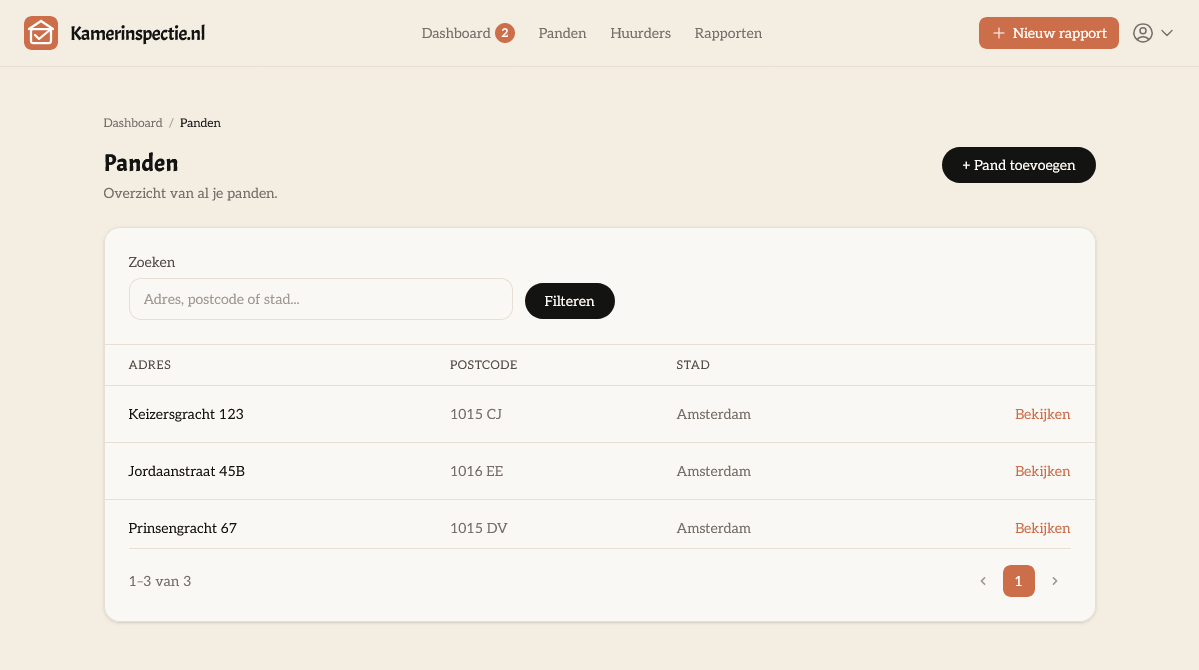
Add all your properties and manage them in one central place. Each property has its own address, notes and room layout. You can add unlimited properties.
- Add unlimited properties and apartments
- Addresses with street, house number, postcode and city
- Notes per property
- Overview of all reports per property
Customisable room layout per property
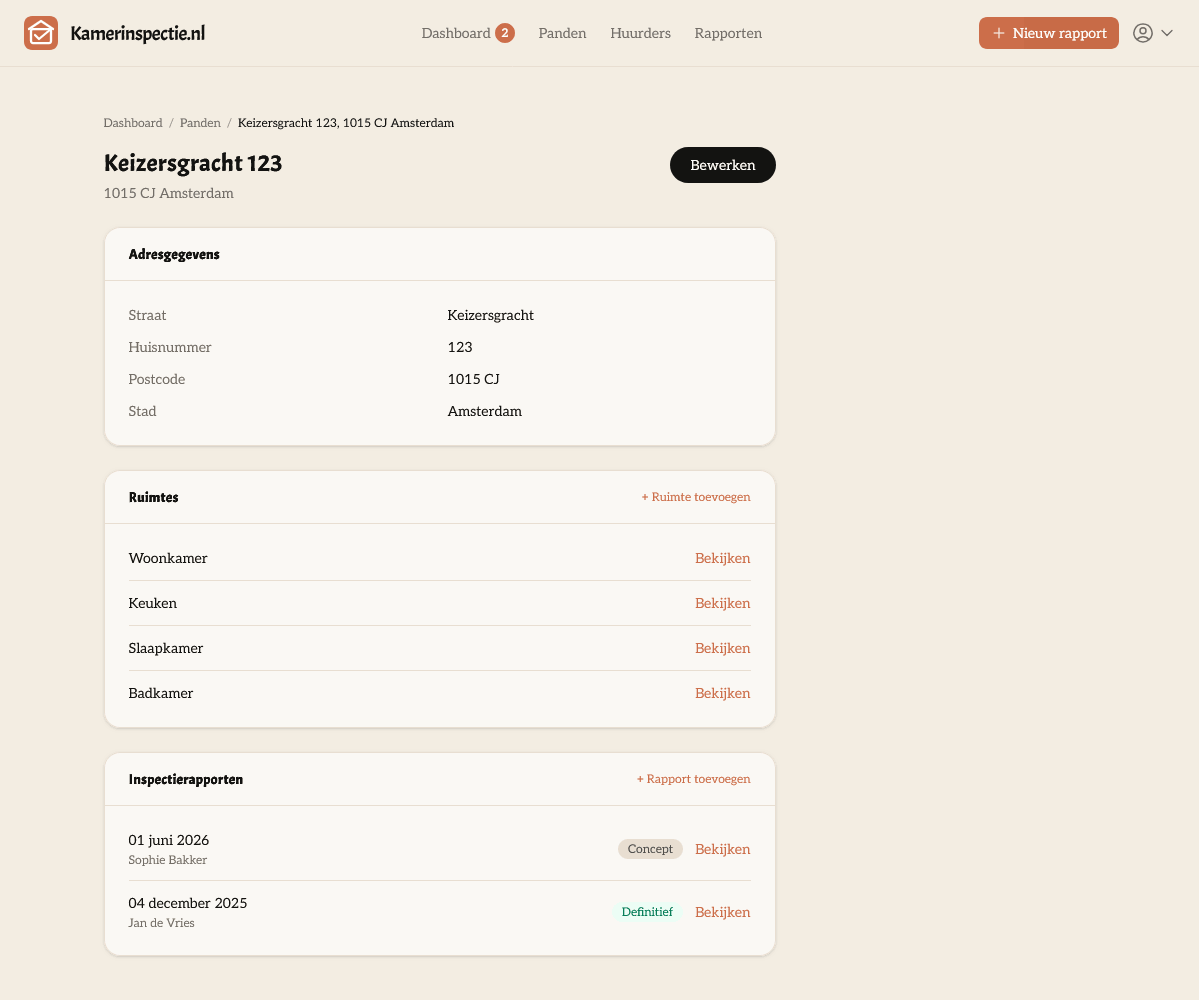
Every property is different. Set up the room layout that suits your situation: living room, bedrooms, bathroom, kitchen, storage, attic — you decide. The layout is automatically applied to new inspections.
- Add rooms per property (living room, bedroom, kitchen, etc.)
- Choose the room type or give it a custom name
- Room layout automatically applied to new inspections
- Record condition and cleanliness per room in the report
Tenant management
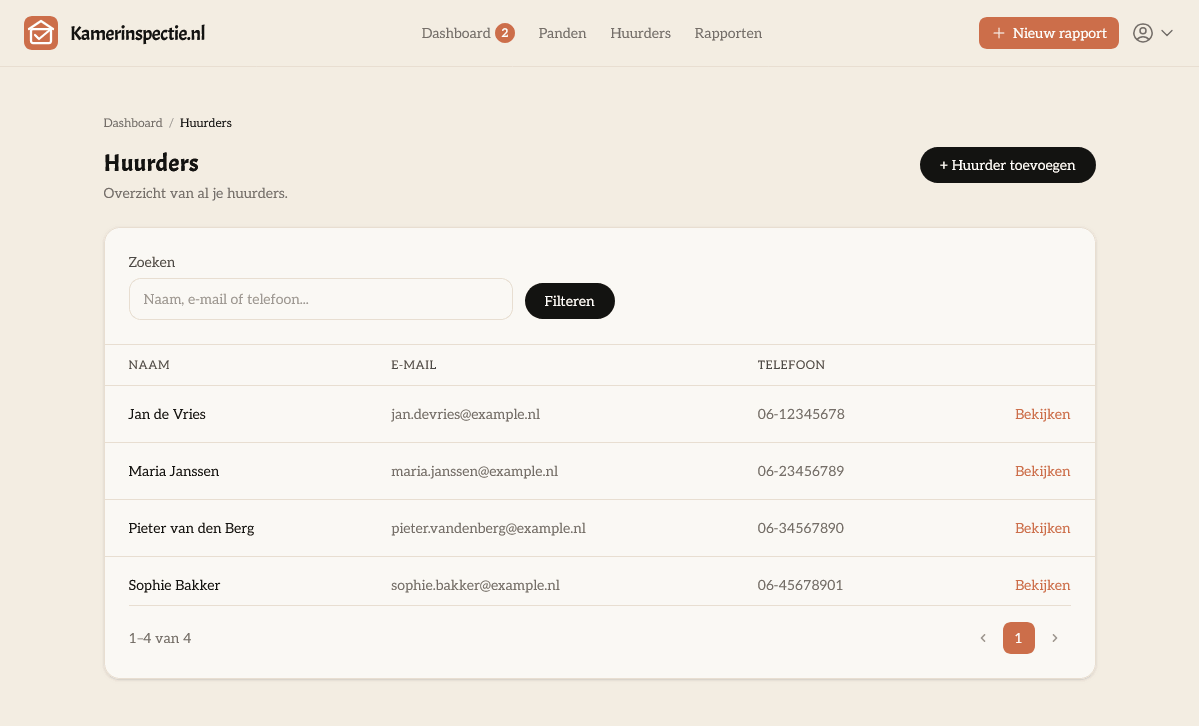
Keep track of your tenants in a central overview. Add contact details and notes, and see at a glance which inspections have been carried out for each tenant.
- Record name, email address and phone number
- Notes per tenant
- Overview of all inspections per tenant
- Support for two tenants per report (e.g. for shared housing)
What is in a report?
A complete inspection report covers all relevant aspects of the property handover. Fill in what applies and skip the rest.
Keys & access
Record exactly which keys, passes and codes have been transferred. Add a photo and note any specifics per key. Everything is included in the report and PDF.
- Record key types (front door, letterbox, parking, etc.)
- Register quantity and key number
- Notes per key
- Add a photo of the key as evidence
Meter readings
Record all meter readings at the time of handover. Gas, water, electricity and heat — including meter number, location, factor and a photo of the meter. This eliminates any disputes over utility billing.
- Gas, water, electricity and heat
- Record meter number, location and factor
- Tariff-2 reading for dual-rate electricity
- Add a photo of the meter as evidence
Damage & defects
Document damage per room with a description and photos. Record who is responsible for repairs and who bears the cost — including a cost estimate. This is the basis for a fair final settlement.
- Record damage per room
- Description and multiple photos per damage item
- Who takes action: tenant or landlord?
- Who bears the cost: tenant or landlord?
- Add a cost estimate
Special agreements
Record additional agreements not in the lease but made between the parties. Add a photo for documentation. This prevents any confusion about what was agreed.
- Free text for special agreements
- Record responsibility per agreement
- Add a photo as evidence or clarification
Photos for everything
Upload photos directly to every room, meter, key, damage item and agreement. Everything is embedded in the report and automatically included in the PDF export. No more loose attachments.
- Photos per room, meter, key, damage item and agreement
- Multiple photos per item
- Photos embedded in the PDF — not as a loose attachment
- Stored securely in your account
Remarks
Free-text remarks and notes that do not fit in any other field.
Digital signatures
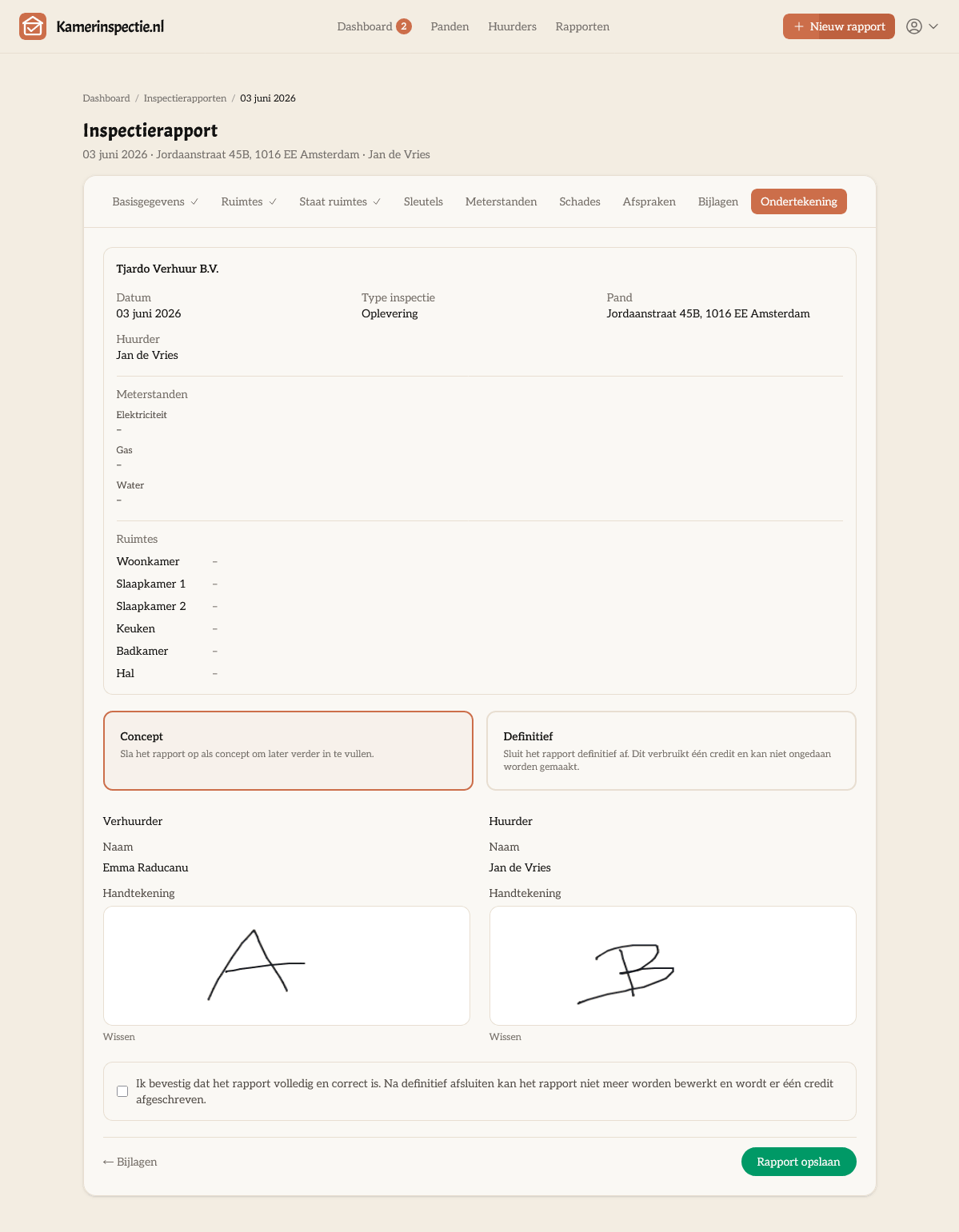
Landlord and tenant(s) sign digitally in the report. The signatures are automatically included in the PDF — making the report legally complete.
- Digital signature from the landlord
- Digital signature from the tenant
- Support for a second tenant
- Signatures recorded in the PDF report
PDF download in two languages
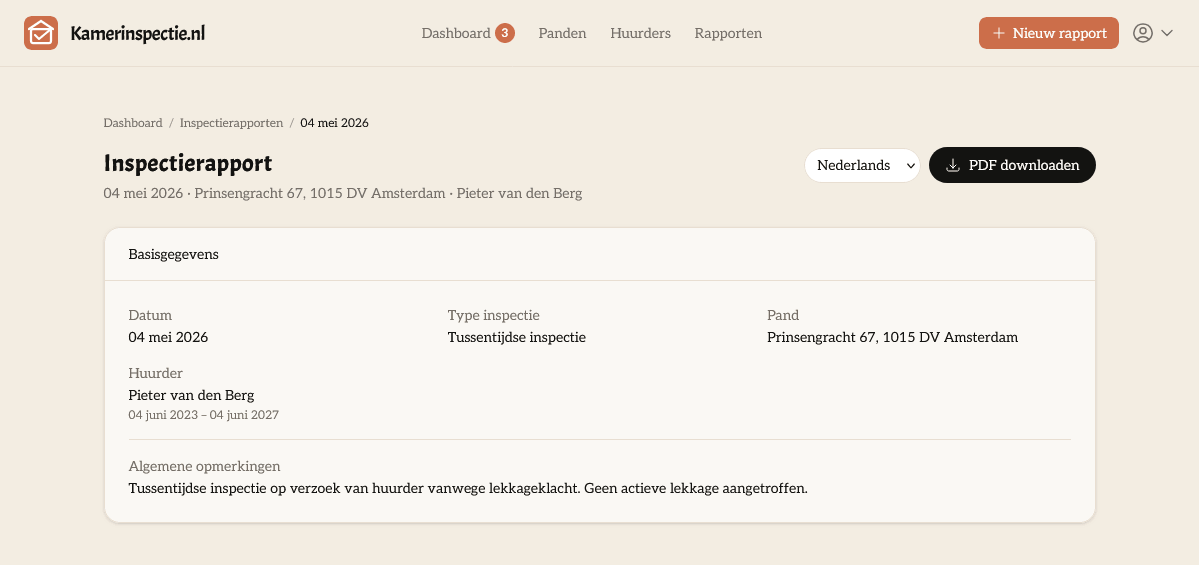
Once a report is finalised, download it immediately as a professional PDF. Choose the Dutch or English version. Ideal for international tenants or expats.
- Professional PDF layout with your organisation details
- Available in Dutch and English
- Always downloadable from your archive
- Suitable for emailing or printing
Organisations & custom terms
Add your company details as an organisation. Include your own terms and conditions — in Dutch and English — which are automatically included in every report you create.
- Company name, Chamber of Commerce number and VAT number
- Contact details and website
- Custom terms and conditions in Dutch
- Custom terms and conditions in English
- Organisation details appear in the PDF report
Digital archive
All finalised reports are permanently stored in your account. You always have access to your archive — even if you have no credits left. No more searching through folders of Word files.
- All finalised reports permanently stored
- Always accessible, even without credits
- Quickly search and filter by property or tenant
- Always re-downloadable as a PDF
Ready to get started?
Create a free account and receive 2 free credits instantly. No credit card, no subscription — just try it.